
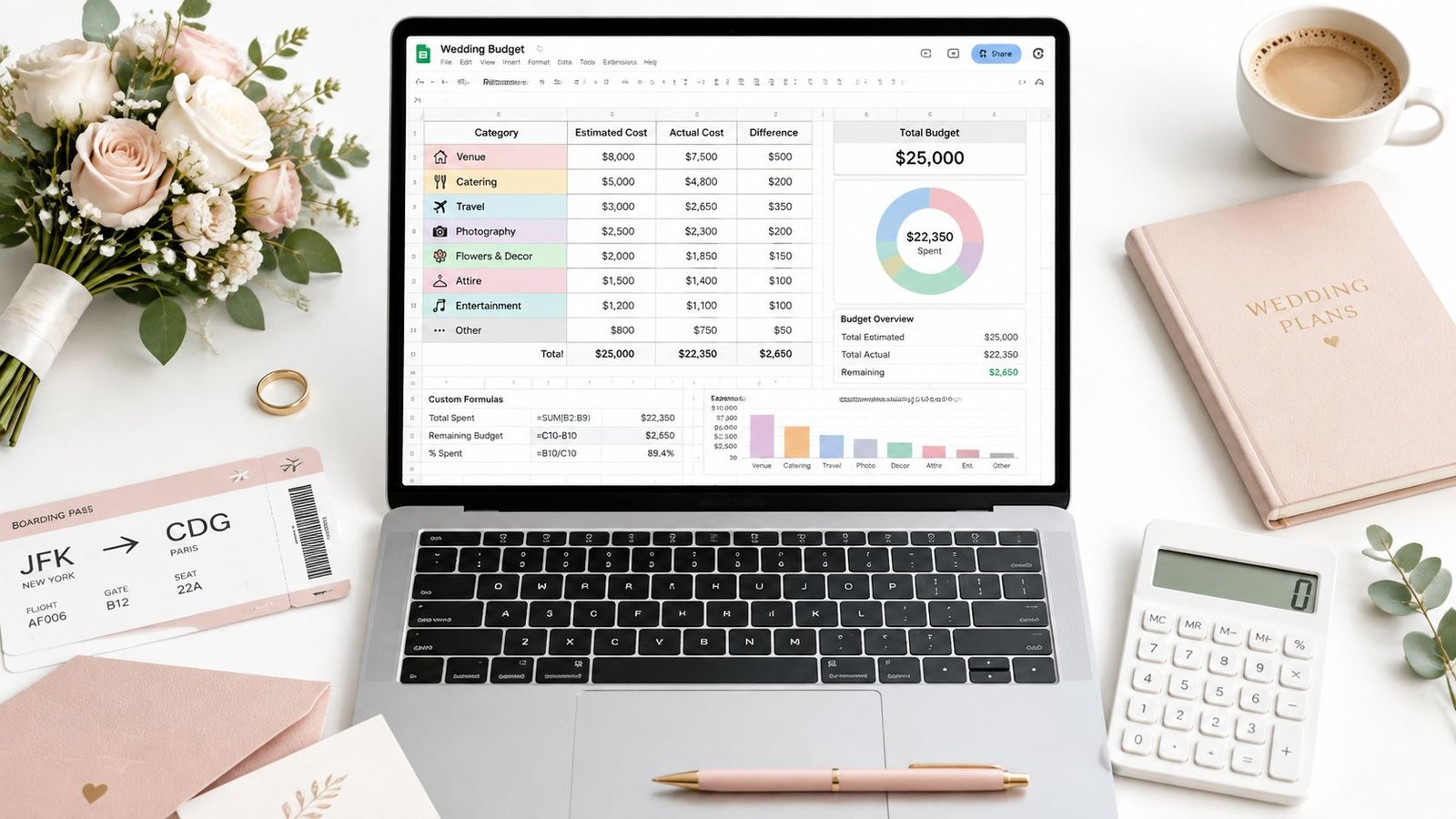
Planning a destination wedding from abroad often starts with a familiar spreadsheet and ends with a much longer list of questions. A generic wedding budget may record the venue and dinner, yet overlook Italian VAT, supplier travel, accommodation, guest transfers, technical production, SIAE where applicable, and the cost of welcome and farewell events. A wedding budget template in Google Sheets can handle those details, but only if its structure reflects the wedding being planned.
The most useful starting point is an Italy-specific master template, supported by complementary approaches for payments, currencies, timelines, collaboration and post-wedding review. This resource compares those approaches rather than presenting unrelated downloads, then shows how to recreate the strongest system in Google Sheets with clear columns and simple formulas. Couples can also refine their broader planning approach with these smart wedding spending ideas.
Before publishing or commissioning another Princess Apulia resource on this subject, the editorial team should check whether an existing page already serves the same intent. If a substantially similar budget guide exists, strengthening and internally linking that page is preferable to creating a competing URL.
1. Custom Princess Apulia Wedding Budget Template with Italy-Specific Categories
A purpose-built master sheet should begin with the full shape of an Italian wedding weekend, not with a generic list copied from a domestic celebration. Its main categories should include venue, catering, planner, flowers and design, photography and video, music, attire, beauty, stationery, transport, accommodation, ceremony, guest events and contingency.
That structure gives couples a place to record the ceremony separately from the reception, and the welcome dinner separately from the farewell brunch. It also makes room for guest transfers, accommodation blocks, technical production and regional supplier requirements. A wedding in Puglia may involve several locations and several days, so one reception total can hide important commitments.
The columns that prevent surprises
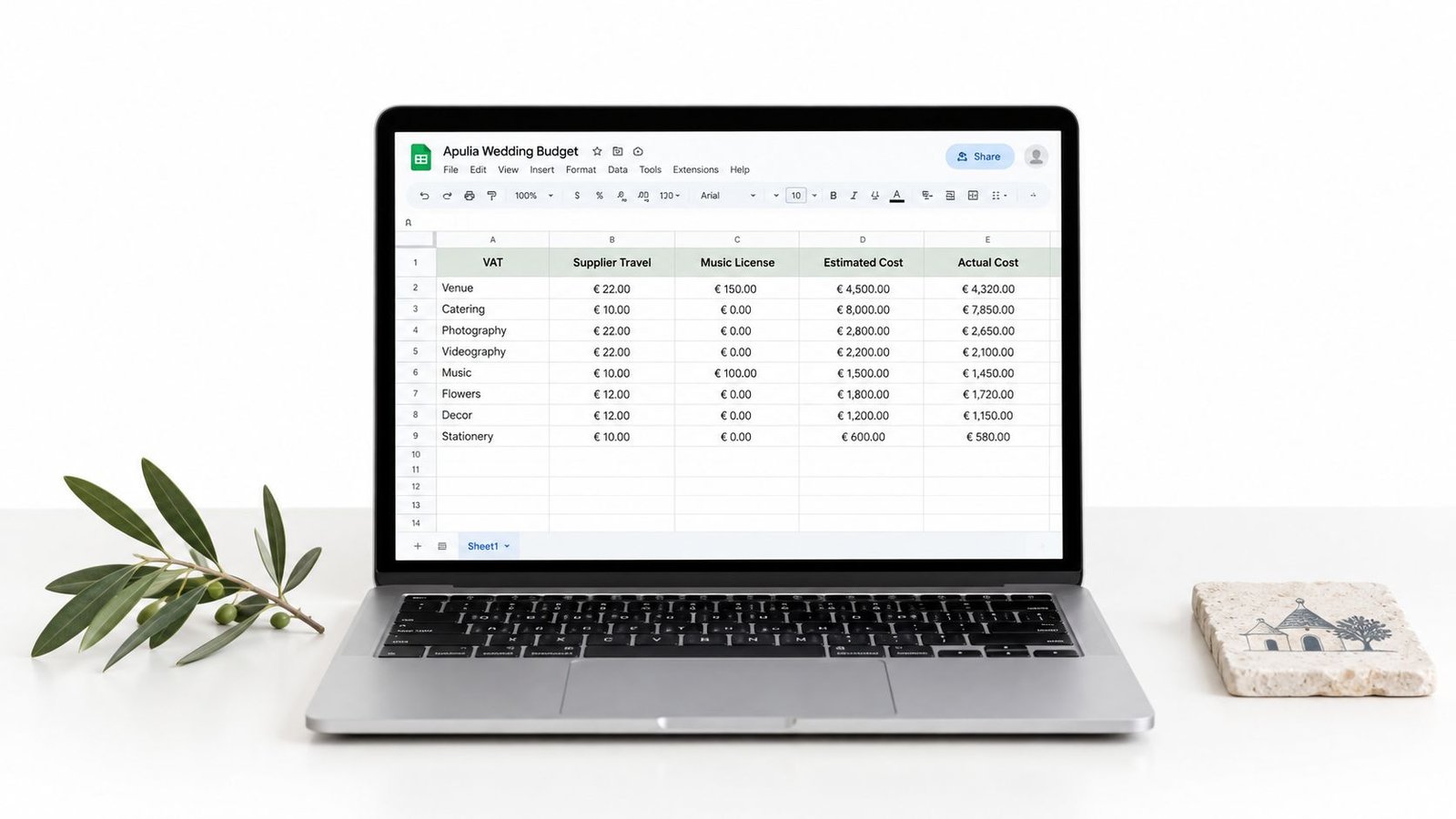
Each expense row should include:
- Category: Venue, catering, transport or another agreed group.
- Supplier: The company or professional responsible for the service.
- Estimated cost: The working assumption before a formal proposal arrives.
- Quoted cost: The amount stated in the supplier's offer.
- Actual cost: The confirmed amount on the invoice or final agreement.
- Deposit paid: The amount already transferred.
- Balance due: The unpaid portion of the confirmed cost.
- Payment deadline: The date that requires action.
- Quote date and notes: The proposal version, VAT treatment, inclusions and exclusions.
A simple total can be created with =SUM(Actual Cost Column). Remaining budget can use =Total Budget-Total Actual Cost, while the outstanding balance can use =SUM(Balance Due Column). If the sheet has separate columns for estimated, quoted and actual figures, a variance column can calculate =Actual Cost-Estimated Cost.
Couples should collect early estimates from several suitable suppliers in each major category, then update the sheet as proposals arrive. Italian quotations require particular attention to IVA, because a venue or supplier may state whether VAT is included or excluded. The final sheet should be shared with the planner when one is involved, and payment deadlines should also appear in a calendar. The wedding budget checklist can support the wider planning process without replacing this master financial view.
2. Google Sheets Budget Template with Payment Tracking and Vendor Management
A budget becomes much more useful when it shows not only what an event may cost, but also who is waiting for payment and what remains unresolved. A vendor-management version of Google Sheets combines the financial record with supplier status, making it easier to distinguish a confirmed booking from a promising conversation.
The supplier row can include the service category, company name, contact person, proposal date, quoted amount, deposit amount, deposit date, balance, final payment deadline and status. Status labels such as quote requested, proposal received, under review, confirmed, deposit paid and complete are more useful than a colour system without words.
Make payment status visible
Conditional formatting can flag an overdue deadline, an unpaid deposit or an actual cost above the working estimate. A separate notes field should capture communication preferences, agreed revisions and questions about inclusions. An archive sheet can retain earlier proposals, so a couple or planner can compare versions without overwriting the current agreement.
A weekly review works well when the sheet is shared among several decision-makers. During that review, the primary editor should update actual figures, mark deposits as paid and check whether any deadline has moved. The sheet should never become a collection of conflicting copies. One shared file is clearer than separate versions exchanged by email.
Practical rule: A quoted amount isn't a paid amount. Keep the quote, deposit, remaining balance and final invoice visible as separate fields.
Payment tracking also protects the planning process from assumptions. A supplier's first proposal may exclude transport, overtime, accommodation or technical requirements. Couples should review inclusions before treating the quoted figure as the amount available for the category. The wedding-planning scam guidance offers a useful companion to careful supplier verification and payment decisions.
3. Google Sheets Multi-Currency Budget Template for International Destination Weddings
International couples need a budget that distinguishes the supplier's currency from the currency used for household planning. A venue in Italy may invoice in euros while a couple earns and saves in pounds, dollars or another currency. Without a consistent base currency, the sheet can make the total look stable even while exchange movements alter the amount leaving the couple's account.
The most practical design adds four fields to each relevant row: supplier currency, original amount, exchange rate and exchange-rate date. A converted-total column can multiply the original amount by the recorded rate. The rate date matters because it shows whether the figure is a current planning estimate, a locked supplier price or an older assumption.
Separate currency risk from supplier changes
A change in the converted total doesn't always mean the Italian supplier has increased the price. It may reflect the exchange rate, a revised VAT treatment or a newly added service. Those explanations should be recorded separately in the notes column, otherwise the couple may cut a design element to compensate for a movement that later reverses.
The budget should also identify which rates are fixed and which remain open until payment. Couples can ask suppliers whether pricing can be held in euros or another agreed currency, then record that decision in the contract notes. A transfer provider may offer a different exchange rate from a traditional bank, but the relevant comparison should include fees, timing and the protection offered by the payment method.
A currency column is useful only when the exchange-rate date travels with the figure. An undated conversion quickly becomes an untraceable assumption.
This format is especially helpful for destination weddings with guests booking accommodation in different currencies or with suppliers travelling from another country. It also complements guidance for small and intimate weddings abroad, where a smaller guest count can still involve complex international payments.
4. Google Sheets Timeline-Integrated Budget Template with Spending Milestones
A total budget can be correct and still create cash-flow pressure if all the important payments arrive at the same time. A timeline-integrated sheet connects each deposit and balance to the wedding date, allowing couples to see when funds must be available rather than focusing only on the final total.
The main budget can include a payment month or payment phase column. A separate payment calendar should record the exact due date, supplier, amount, currency, payment status and person responsible for the transfer. The two sheets can be connected through consistent supplier names, while the calendar remains easier to review during planning meetings.
Work backwards from the event
Start with the wedding date and identify final-payment deadlines. Then record deposits and other commitments that occur earlier. Accommodation, guest transport, rehearsal events and technical production should sit on the same timeline as venue and catering payments, because they often arrive through different suppliers and may not appear on the main reception proposal.
Monthly or phase-based totals can use =SUMIF(Payment Month Range, Selected Month, Amount Range). A cumulative total can add the current period to the previous cumulative figure. Couples who prefer a less technical sheet can group payment rows by month and use subtotals, provided every payment has one clear due date.
Colour coding helps distinguish deposits, final payments and open estimates, but colour shouldn't carry the meaning alone. Text labels remain essential for accessibility and for anyone reviewing the sheet on a phone.
A separate contingency row for each planning period can reveal when the budget is most exposed. If one month contains several deposits, the couple can discuss the sequence with the planner, adjust savings plans or revisit a non-essential decision before a deadline arrives. This approach is particularly valuable for multi-day celebrations, where the cash flow follows the entire wedding weekend rather than one ceremony and reception.
5. Google Sheets Category-Based Budget Template with Percentage Allocation Guidance
Category allocation works best as a decision tool, not a rigid formula. Set up columns for the total budget, planned category amount, latest quote, confirmed cost and current share of spending. The formula =Actual Category Cost/Total Actual Cost shows the live proportion, while a variance column records the difference between the planned allocation and confirmed cost.
Fixed percentages can mislead couples planning in Italy. Venue, guest count, season, region and priorities all shift the balance. A wedding focused on food and hospitality will allocate funds differently from one prioritising photography, design or several guest events. A masseria with in-house services may also require a different structure from a venue where rentals, lighting and production come from separate suppliers.
Build categories that answer venue questions
Read each proposal line by line before assigning a cost. “Venue” may include furniture, tables, chairs, linens, setup and basic lighting in one agreement, while another proposal lists those items separately. If the sheet groups both arrangements under one heading, the couple may compare totals that do not cover the same services.
For a destination wedding, add categories that reflect the actual scope of the celebration:
- Budget allocation: The amount currently reserved.
- Quoted total: The latest supplier figure.
- Actual total: The confirmed cost, including applicable VAT where it is shown separately.
- Actual share: The category's proportion of the live total.
- Trade-off note: The reason for increasing or reducing the allocation.
Supplier travel, accommodation, guest transfers and welcome or rehearsal events may deserve their own rows when they sit outside the main venue proposal. This keeps multi-day costs visible without imposing a standard percentage on them. Payment status and due date can also be recorded beside each quote, especially when deposits and final balances fall under different supplier agreements.
Keep contingency identifiable. It should not become an untracked reserve for attractive extras. If a quote rises, record whether the couple will reduce another category, change the scope or increase the overall budget. Editable templates remain useful for shared planning when categories reflect the venue, region, season and guest experience. The strongest Google Sheets version is the one that preserves those decisions and makes each trade-off easy to review.
6. Google Sheets Collaborative Wedding Budget Template with Shared Access and Edit Tracking
A shared budget can bring a couple, planner and family contributors into the same conversation, but access must be designed carefully. Google Sheets supports shared editing, comments and version history, while protected ranges can help prevent someone from replacing a formula with a typed total.
The sheet should assign roles before the first proposal is entered. One person, often a partner or planner, can act as the primary editor. Other contributors can receive permission to comment or edit specific areas, depending on their responsibilities. A simple decision log should record the chosen supplier, the alternatives considered and the reason for the decision.
Keep discussion separate from figures
Comments are useful for questions such as whether a floral proposal includes installation or whether a transfer supplier has confirmed the return journey. The actual cost cell should change only after the decision is confirmed. This distinction prevents an early suggestion from appearing to be a final budget commitment.
Protected cells should cover total formulas, conversion formulas and summary figures, while input cells remain open for new quotes. Before sharing the file, the primary editor should test the permissions with each collaborator. Google Sheets' edit history can then help identify an accidental change without turning the budget into a surveillance exercise.
Family contributions require a separate conversation about approval rights. A parent funding stationery may reasonably want visibility over that category, but that doesn't automatically mean every other budget line should require approval. The decision log gives the couple a calm place to document those boundaries.
Sensitive disagreements belong in a private conversation or separate notes file, not in a public comment thread on the main financial sheet. The goal is shared clarity, not a running record of every emotional response to a design choice.
7. Google Sheets Post-Wedding Budget Analysis Template with ROI and Vendor Performance Tracking
The final useful version of a wedding budget begins after the celebration. A post-wedding sheet compares estimated, quoted and actual costs, then records what each supplier delivered, which charges were unexpected and which decisions deserve to be repeated for another Italian event.
Its financial section can reuse the same columns as the planning sheet. Additional fields can include variance, agreed deliverables, final deliverables, communication, flexibility, value, would use again and would recommend. “Return on investment” should be treated as a couple's own assessment, not as a universal numerical score. The value of a photographer, planner or design team depends on priorities and the agreed scope.
Record invoices, not memories
Final figures should come from invoices, payment confirmations and card or bank records. A quote that changed because an album, print package, additional setup or overtime was added should be linked to the relevant proposal or explained in the notes. That record helps future couples ask better questions before signing.
The analysis can also review the guest experience. Accommodation, transfers, welcome events and farewell gatherings may have delivered more value than a purely single-day budget would suggest. Conversely, a low-cost line may have created extra coordination work or a compromise that wasn't worthwhile.
This sheet becomes especially useful when couples later plan an anniversary celebration, renewal of vows or another family event in Italy. Supplier contact details, contract notes and preferred formats remain easier to retrieve when they have been recorded immediately after the wedding. A measured review also gives a planner practical information for future proposals, without turning one couple's priorities into a rule for everyone else.
Top 7 Google Sheets Wedding Budget Templates, Feature Comparison
| Template | Core features | Key benefit | Best for | Ease & requirements | Limitations |
|---|---|---|---|---|---|
| Custom Princess Apulia Budget (Italy-specific) | Italy-specific line items (IVA, SIAE), multi-day sections, supplier travel, standard tracking columns, automatic totals | Accurate budgeting for Puglia/Italy weddings; captures regional costs and multi-day logistics | Couples planning destination weddings in Puglia or Italy; local planners | Moderate, Google Sheets skills; copy to Drive | Manual updates, no currency conversion, must copy template to Drive |
| Vendor Management + Payment Tracker | Vendor list, payment schedules, deposit/balance dates, conditional formatting, status flags, contacts | Single view for budgets + vendor deadlines, visual alerts for due payments | Large guest lists or weddings with many suppliers | Moderate, needs regular updates and formula familiarity | No banking integration; can feel complex initially |
| Multi-Currency Budget | Currency per line, exchange-rate with date, auto conversion to base currency, historical tracking | Prevents cost surprises when paying in multiple currencies | International couples paying suppliers in different currencies | Advanced, requires rate updates and currency familiarity | Requires manual rate updates, excludes bank/transfer fees |
| Timeline-Integrated Budget | Monthly milestone alignment, planned vs actual per month, cumulative spending, cash-flow projection | Shows when cash is needed; prevents clustering of large payments | Couples managing cash flow, financing, or staged payments | Advanced, needs accurate vendor deadlines and monthly maintenance | Complex formulas; must update monthly; may miss last-minute costs |
| Category-Based with % Guidance | Category list with recommended percentage ranges, actual % calc, notes on allocations | Helps set priorities and visualise trade-offs without rigid rules | Couples new to budgeting or deciding priorities | Easy to moderate, straightforward inputs | Not Italy-specific unless customised; needs total budget input |
| Collaborative Budget (Shared Access & Edit Tracking) | Share permissions, protected cells, comment threads, change/decision log, revision history | Real-time collaboration with edit control and documented decisions | Couples, planners, and family contributors working together | Moderate, requires setup of protections and editor rules | Too many editors can create conflict; change log needs discipline |
| Post-Wedding Analysis & Vendor Performance | Estimated vs quoted vs actual, variance tracking, vendor ratings, lessons learned, recommendations | Records ROI and vendor value; useful for future events and referrals | Couples who want a detailed post-event financial review | Moderate, completed after wedding using invoices | Time-consuming; subjective ratings; requires good invoice records |
Make Every Quote Easier to Read
The clearest approach is to begin with one master Google Sheet, enter the total budget and add the categories that reflect the complete wedding weekend. The first version should include the ceremony, reception, guest events, accommodation, transfers, supplier travel, technical production and contingency, even when some figures are still assumptions. Leaving a category out doesn't make the cost disappear. It only makes the later revision harder to understand.
Every proposal should enter the sheet with its currency, VAT treatment, supplier, quoted amount, deposit, balance and payment deadline. The estimated figure can remain visible beside the quote, because that comparison shows whether the original assumption still works. An actual-cost column should be reserved for confirmed commitments, not optimistic guesses.
A regular review with the partner or planner keeps the file useful. The review should separate confirmed figures from open questions, check upcoming deadlines and record why an allocation changed. If the guest count, venue, season or event format changes, the relevant categories should be revised together. A lower guest count may alter catering and transfers, while a new venue may change rentals, accommodation and technical production in completely different ways.
A destination-wedding budget also benefits from clear ownership. One person should maintain the formulas and payment status, while collaborators can add comments and new proposals according to agreed permissions. The file should be backed up with contracts and invoices, and the final version should remain accessible after the wedding for reconciliation.
A well-maintained sheet won't replace reading every Italian supplier proposal, checking whether IVA is included, confirming travel and accommodation terms, or reviewing each invoice and applicable charge. It does make those conversations more precise. For couples who want professional support defining and monitoring a destination-wedding budget in Puglia, Princess Apulia® is one relevant planning option to review alongside the master sheet.
Start by creating the category tabs, adding the payment columns and entering every known commitment, including the events surrounding the wedding day. Then share the working file with the partner or planner, schedule a regular review and ask each supplier to clarify any amount that remains ambiguous before it becomes a deposit.